
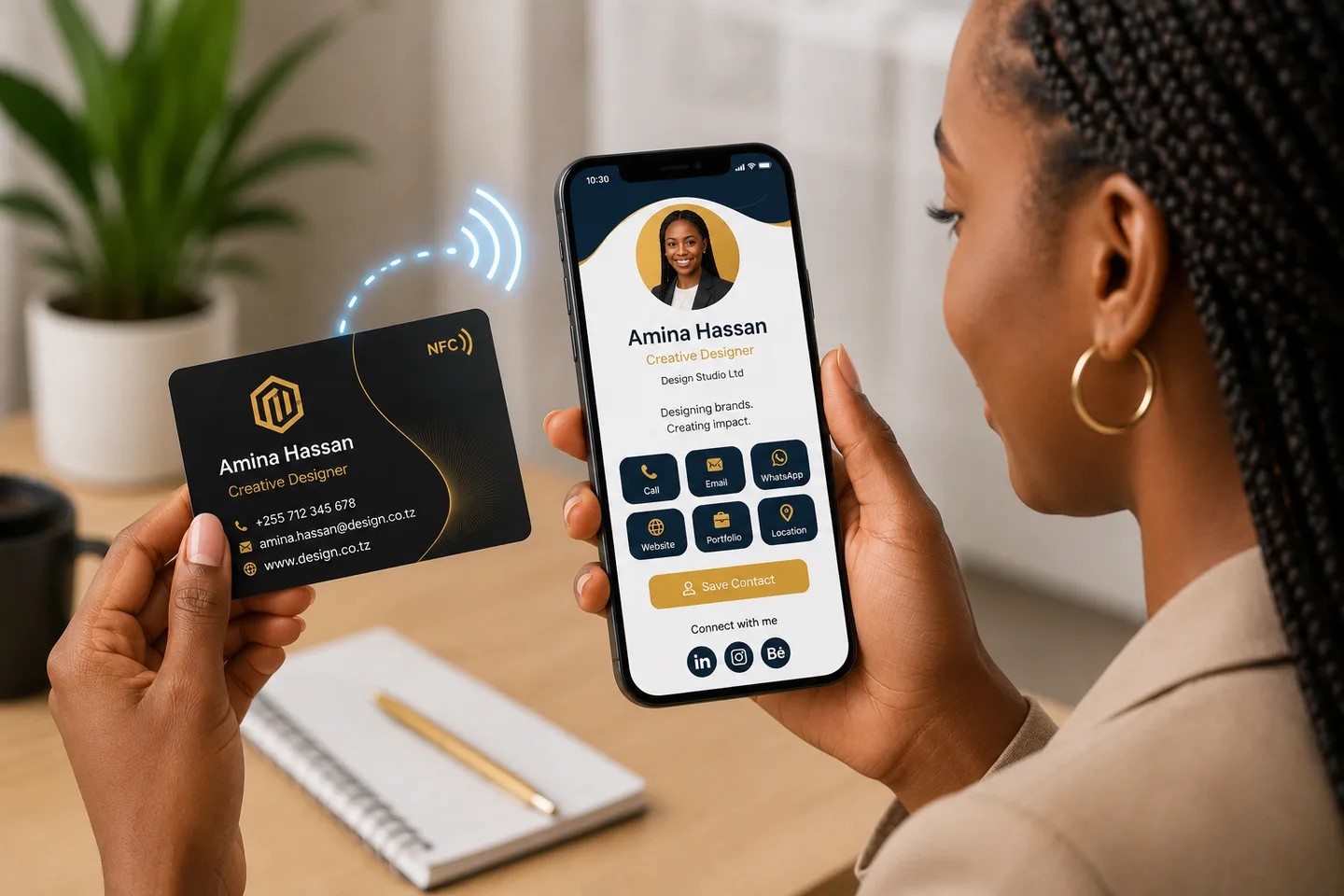
NFC Business Cards in Tanzania: How They Work and Why They Matter
You meet a potential client, tap a card near their phone, and your professional profile appears. That is the appeal of an NFC business card: a familiar physical exchange with a much more useful digital destination.
For professionals and businesses in Tanzania, NFC can make introductions quicker while still allowing you to share through QR codes and links. Here is how the technology works, where it fits, and what to check before choosing one.
What does NFC mean?
NFC stands for Near Field Communication. It allows two compatible devices to exchange a small amount of information at very close range. In an NFC business card, a tiny chip and antenna are built into the card. The chip can store a web address that points to your digital business card.
The card does not need its own battery. A compatible phone provides the field that powers the chip during the tap. The phone then recognizes the link and offers to open it in a browser.
How an NFC business card works in practice
- Set up your digital profile. Add your name, role, business, contact details, and useful links.
- Connect the physical card. Program or assign its NFC destination to your profile URL, following your provider’s process.
- Tap with permission. Hold the card close to the NFC area of the recipient’s phone, usually near the back or top.
- Open the notification. The recipient taps the prompt to view your profile and can then save or contact you.
Moving the card away too soon or placing it in the wrong position can interrupt the read. A brief, steady tap usually works better than waving it across the screen.
Will it work with every phone?
Many modern smartphones support NFC, but not every model does. Settings, phone cases, operating systems, and the position of the reader can also affect the experience. Some phones require NFC to be enabled, and a locked screen may behave differently across devices.
This is why an NFC card should not be your only sharing method. Put a QR code on the physical card where possible, or keep your digital card’s QR code on your phone. A short link gives you another fallback. The aim is a convenient introduction for the other person, not a demonstration they must troubleshoot.
Why NFC business cards matter
They preserve a natural handover
Handing someone a well-designed card remains a professional gesture. NFC adds interactive contact details, services, and online profiles to that moment without asking you to search for a paper replacement later.
They reduce manual typing
The recipient opens the correct URL directly instead of transcribing a long address. From there, clear actions can help them call, email, save your contact, or view your work.
The profile can stay current
If the NFC chip points to a manageable digital profile, you can update the information visitors see without replacing the physical card whenever your role changes. Confirm this capability with your provider.
They work beyond the meeting room
Sales visits, exhibitions, property viewings, tourism meetings, and creative showcases all benefit from fast access to relevant information. A consultant in Dar es Salaam and a tour business in Arusha may use the same tap but choose very different calls to action.
NFC versus QR codes and links
NFC is quick and tactile. QR codes are visual and work with many phone cameras. Links are easiest for remote conversations. These options complement each other rather than compete.
Use NFC when you are physically present and the phone is compatible. Use QR when scanning is easier or as a backup. Send a link through WhatsApp, email, or SMS when you are not together. A good digital business card in Tanzania brings all three routes to one maintained profile.
Security and privacy considerations
An NFC business card primarily shares the URL you choose. Treat that destination as public. Do not encode passwords, private documents, or sensitive customer information into it. Use a reputable platform, protect your account with a strong password, and review who can edit team profiles.
Before sharing, inspect the public card in a private browser window. If your role changes or a device is lost, update or disable the relevant profile according to your provider’s controls. NFC convenience does not replace normal account security.
Choosing an NFC business card in Tanzania
Consider both the physical product and the service behind it. Ask about card material and printing, profile customization, subscription requirements, QR fallback, editing rights, support, and what happens if you change providers.
Then test the whole journey with Android and iPhone devices available to you. Check the tap position, browser opening, mobile readability, contact saving, and every action button. Compare the ongoing service as carefully as the card itself; Wiverr’s pricing page and feature overview can help you assess the fit.
Frequently asked questions
Does an NFC business card need charging?
No. A passive NFC card has no battery to charge. The compatible phone supplies the short-range field used during the tap.
Does tapping cost mobile data?
The tap itself transfers the link, but opening the online profile uses the phone’s internet connection. Normal mobile data or Wi-Fi conditions apply.
Can I change the details after printing the card?
Usually you edit the connected digital profile while keeping the same card. Whether you can change the chip’s destination depends on how it was programmed and locked.
Is NFC the same as Bluetooth?
No. NFC works at a much shorter range and is designed for a quick interaction without the typical Bluetooth pairing process.
NFC is most effective when it leads to a clear, current profile and is backed by QR and link sharing. Learn more in our complete guide to digital business cards in Tanzania, then choose the sharing combination that suits your audience.